Vivo Y91, Y93, Y95 Charging Temperature Too Low Error – Motherboard Inspection Guide
1. Low Temperature Charging Error SymptomsSome Vivo Y91, Vivo Y93, and Vivo Y95 devices may display a battery temperature too low warning when connected to a charger.
As a result, the phone may refuse to charge or fail to charge the battery normally, affecting everyday device usage.
2. Motherboard Inspection Locations
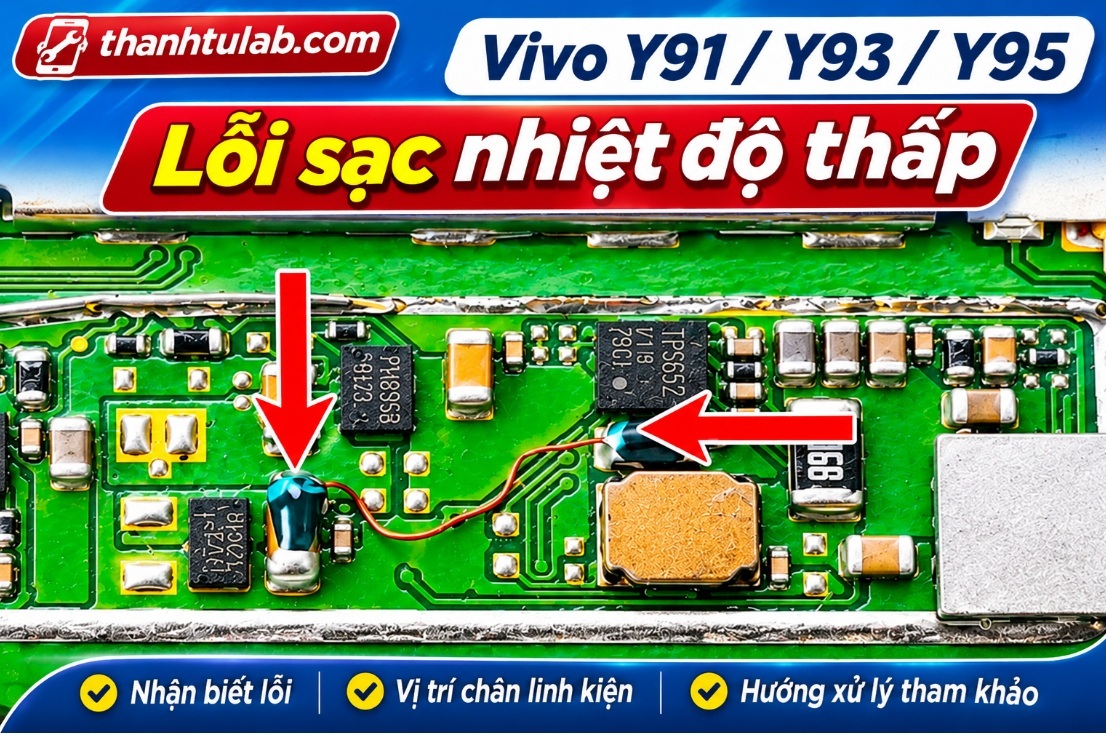
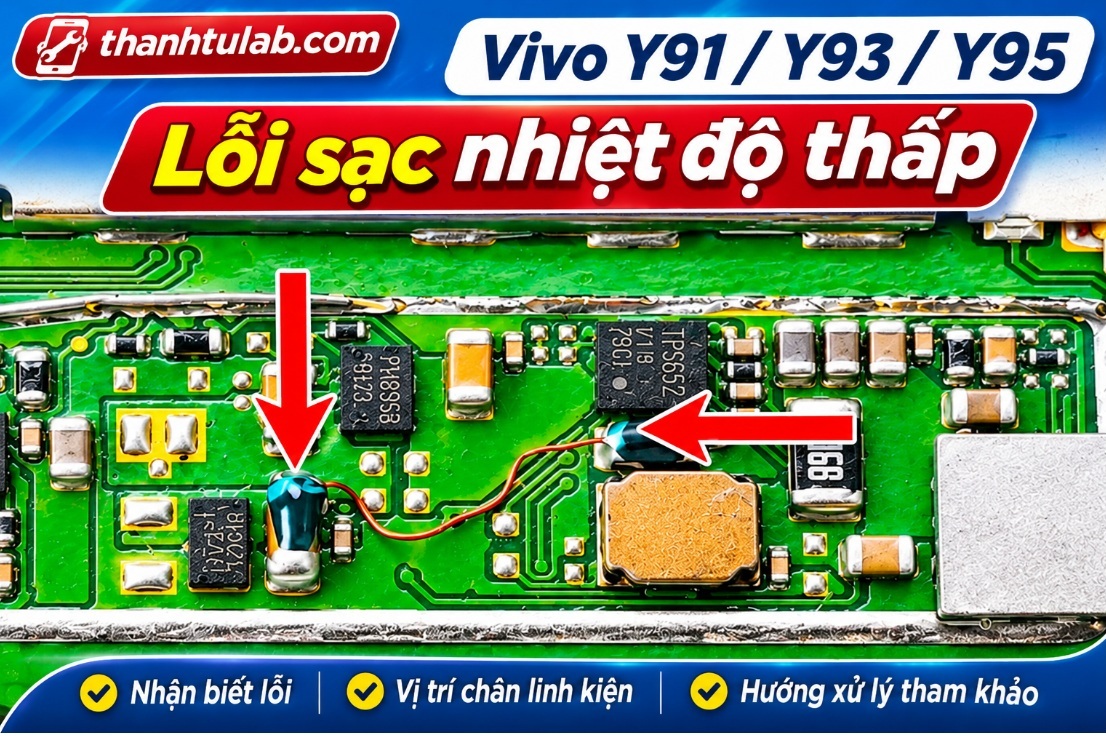
In the supplied repair reference image, two motherboard component locations are highlighted with red arrows.
These locations serve as inspection references for technicians diagnosing low-temperature charging problems on Vivo Y91, Y93, and Y95 devices.
Recommended inspection steps:
Check the battery connector and contact pins.
Inspect the battery temperature sensing circuit.
Measure the components at the highlighted locations.
Check related circuit traces and connections.
Refer to the correct circuit diagram to identify component functions before replacing any parts.
3. Important Repair Notes
Avoid replacing components without proper diagnosis. Carefully inspect the battery temperature sensing circuit, battery connections, and surrounding motherboard components to identify the actual cause.
The supplied image is a motherboard repair reference showing the highlighted inspection locations for Vivo Y91, Y93, and Y95.
4. Conclusion
The low-temperature charging error on Vivo Y91, Y93, and Y95 requires careful inspection of the battery connection and temperature sensing circuit.
Accurate measurements and proper fault identification are important before replacing any motherboard components.
Phone Repair Knowledge Website: https://thanhtulab.com
SEO Keywords: Vivo Y91 charging problem, Vivo Y93 charging problem, Vivo Y95 charging problem, Vivo low temperature warning, Vivo not charging, Vivo motherboard repair.